 UGX
 KES - Kenya
 TZS - Tanzania
 RWF - Rwanda
 NGN - Nigeria
 ZAR - South Africa
 USD - Zimbabwe
 GHS - Ghana
 ETB - Ethiopia
 ZMW - Zambia
 USD - International

A hotel in Entebbe buys food, linen and cleaning supplies every week. A school in Mbarara buys books, food and uniforms every term. In both cases, buying without a process means paying for things nobody checked.
This guide shows how to set up a purchase order process in Uganda, from the request to the payment.
Why buying needs a process
Most buying problems are not fraud. They are gaps: an order nobody approved, a delivery nobody counted, a bill nobody checked against the order. A purchase order process closes each gap with one simple step.
The purchase order process, step by step
1. Request
Whoever needs something raises a purchase request: what, how many, for which job or branch, and from which supplier if they know.
2. Approve
A manager approves the request. Set limits so small requests are approved quickly and large ones go to the owner.
3. Issue the PO
Approval turns the request into a numbered purchase order that confirms price, quantity and where and when to deliver.
4. Count and record
Goods are counted on arrival and recorded as received. Short, extra or damaged items are noted while the driver is still there.
5. Approve the bill for payment
The bill is compared with the order and the delivery record. Once it agrees, it is scheduled for payment on its due date.
Three-way matching
Matching is the check that catches short deliveries, wrong prices and double billing. It compares:
| Paper | Says | Checked against |
|---|---|---|
| PO | What was ordered and the price | The bill |
| Delivery record | What came | The PO and the bill |
| Bill | What is owed | The PO and the delivery |
When the quantities or prices differ, hold the bill and ask the supplier. A short delivery or a price increase is far easier to sort out before you pay than after.
Example: a hotel in Entebbe
Consider an example hotel in Entebbe with a restaurant and 40 rooms. The chef, the housekeeper and the maintenance team all buy from their own suppliers. Before the hotel used purchase orders, the accountant spent days each month chasing who had ordered what.
Now each department raises a request, the general manager approves it within the department’s budget, and suppliers receive POs with agreed prices. Deliveries are checked at the gate against the PO. The bill is matched to the PO and the delivery, then paid by bank transfer, MTN MoMo or Airtel Money.
VAT and EFRIS invoices in Uganda
VAT in Uganda is charged at 18%. Many suppliers issue invoices through URA’s EFRIS system, so check that the invoice you receive shows the supplier’s TIN and the VAT correctly, and keep it with the matched bill.
Confirm the current invoice requirements with URA. NaliSuite lets each business set its own tax rates, so you stay in control when rules change.
Common mistakes to avoid
- One person orders, receives and pays. Split the jobs, even in a small team.
- Verbal price agreements. Write the agreed price on the PO.
- Ignoring credit notes. Record them against the supplier so they are deducted from the next payment.
- No reorder levels. Running out of stock leads to rushed, expensive orders.
Departments, budgets and approvals
Hotels, schools and NGOs in Uganda often buy for several departments at once. Give each department a budget and an approver, so the kitchen, housekeeping and maintenance can order within their limit without waiting for the general manager.
The approved POs then show what each department has committed this month, even before the bills arrive. When a department is close to its budget, the approver sees it before saying yes.
Department heads never pay suppliers themselves: accounts pays matched bills by bank, MTN MoMo or Airtel Money and keeps each transaction reference on the bill for the month-end check. See bank and mobile money reconciliation.
Doing it in software
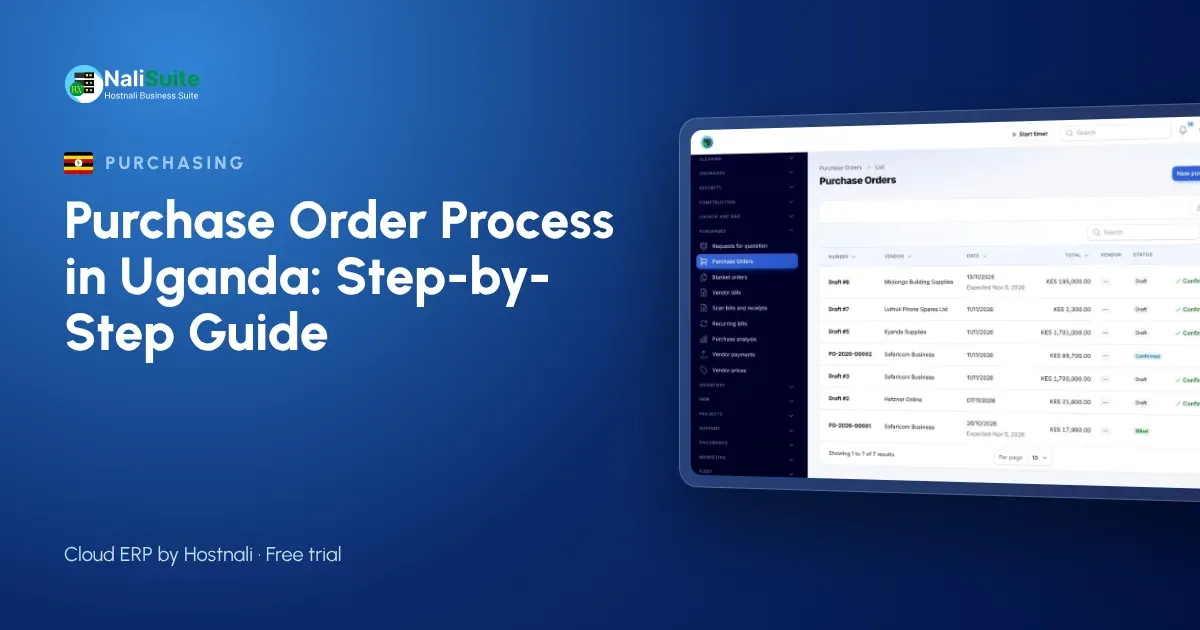
You can run this process on paper, but software makes it much easier. In NaliSuite Purchases, requests, approvals, purchase orders and supplier bills live in one flow. Receiving updates inventory automatically, and matched bills post to accounting without anyone typing them again.
Frequently asked questions
Can I pay suppliers by mobile money in Uganda?
Yes, mobile money is common for supplier payments in Uganda, alongside bank transfers. Keep the MoMo or Airtel Money transaction ID with the bill.
What is EFRIS?
URA’s electronic fiscal receipting and invoicing system. Many suppliers issue their invoices through it; keep those invoices with your matched bills.
What if a supplier delivers more than we ordered?
Accept only what is on the PO, or update the PO first if you want the extra. Otherwise the bill will not match.
Do I need purchase orders for services?
Yes, for regular services such as repairs or transport. The PO fixes the agreed price before the work starts.
Try NaliSuite
Run purchases, stock and accounting together in NaliSuite, from UGX 8,500 a month with a free trial. View plans.