 UGX
 KES - Kenya
 TZS - Tanzania
 RWF - Rwanda
 NGN - Nigeria
 ZAR - South Africa
 USD - Zimbabwe
 GHS - Ghana
 ETB - Ethiopia
 ZMW - Zambia
 USD - International

Every week another app in Uganda claims to use AI. Some of them help; some only add a monthly bill. The difference usually comes down to whether the business asked the right questions before signing up.
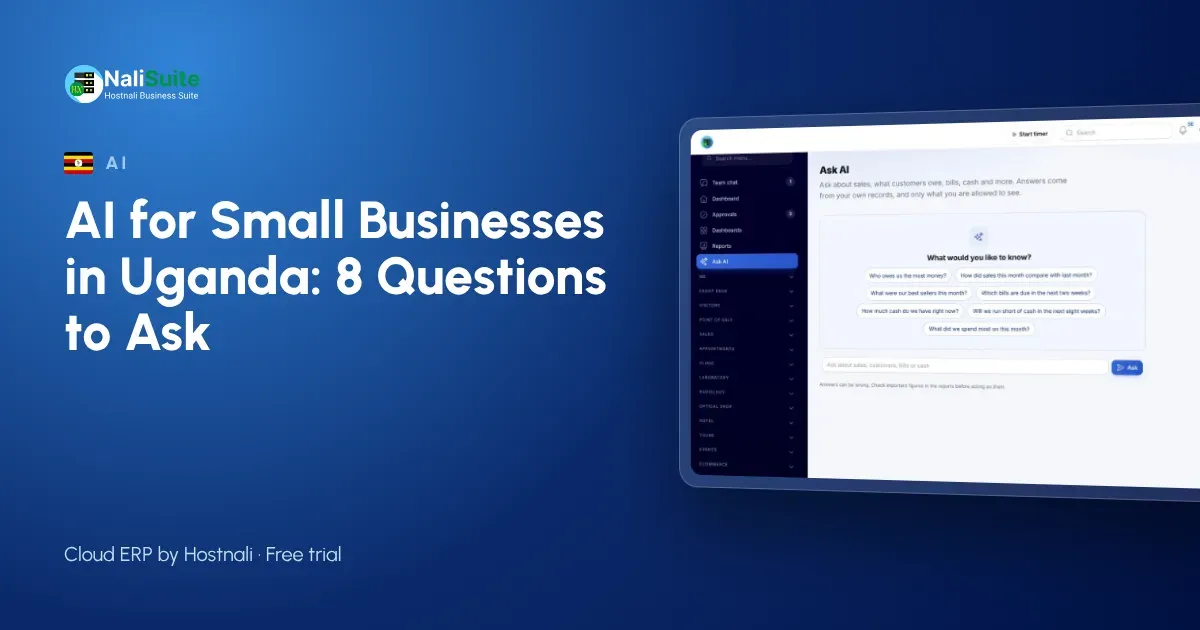
Here are eight questions to ask before you put AI to work in your business, with the answers for NaliSuite’s AI add-ons as a worked example.
1. Which job will it do?
Name one task, not “productivity”. Good candidates in a small Ugandan business are:
- typing supplier invoices and receipts into the books
- answering questions such as “who owes us the most?”
- seeing next month’s cash before it happens
- drafting replies to customer questions
If you cannot name the task, you will not be able to tell whether it worked.
In NaliSuite: Document AI handles bills and receipts. The AI business assistant answers plain-word questions, shows a week-by-week cash-flow forecast with a plain-words summary, and drafts replies on helpdesk tickets.
2. What will it read?
AI is only as good as what it reads. A tool that answers from the internet will not know your customers. A tool that answers from your own records will.
In NaliSuite: the assistant answers from your live sales, invoices, bills and books. Document AI reads supplier invoices as PDFs and photos of till receipts taken with a phone, picking out the supplier, invoice number, dates, lines, VAT and totals.
3. Who checks the result?
Every AI result needs a person who looks at it before it matters.
In NaliSuite: Document AI never saves on its own. You check what was read, then save it as a draft bill or, for a receipt already paid, an expense. Ticket replies are drafts for an agent to edit and send.
4. Who can use it, and what can they see?
A tool that lets any staff member ask about anything is a risk.
In NaliSuite: each person only gets answers from what their role allows them to see.
5. Where does the data go?
Ask exactly what is sent, to whom, and under which terms.
In NaliSuite: the AI add-ons use your own Anthropic API key, under your own account and its terms. NaliSuite sends only what each request needs.
6. How does it fit Ugandan law?
Uganda’s Data Protection and Privacy Act, 2019, with the Personal Data Protection Office, applies to personal data in your records, such as customer names, phone numbers and staff details. Use AI for clear business purposes, limit who uses it, and check how the law applies to the data you send. If you are unsure, ask your legal adviser.
7. What does it really cost?
Look for both parts of the price: the tool, and the AI usage behind it.
In NaliSuite: each AI add-on is a marketplace add-on to any plan, and the AI usage is billed by Anthropic to your own key. You can follow every request in your own Anthropic account.
8. How will you know it worked?
Before you start, write down how long the job takes today. After a month, compare. Also note how often you had to correct the result. A tool that saves time but needs constant correcting may not be worth it; one that saves a little time and is almost always right often is.
A Kampala example
A stationery and printing supplier in Kampala sells to schools and offices, takes payments by bank and MTN MoMo, and buys paper and toner from a dozen suppliers. The owner answered the eight questions on one page before starting:
- Job: supplier bills first, then questions.
- Reads: supplier PDFs and receipt photos; later, the company’s own sales and invoices.
- Checks: the accounts assistant confirms each bill.
- Access: only the owner and accounts assistant use the assistant.
- Cost: reviewed in the Anthropic account at month end.
- Measure: hours spent on bills, before and after.
After one month, bill entry had moved from a two-day job at month end to a short daily task, so they kept it. In the second month the owner started asking the assistant which schools still had unpaid invoices before the start of term, so the reminders went out while parents and bursars were still planning their budgets.
Records come first
None of this works if sales and bills are scattered. Bring them into accounting and invoicing before switching on AI. Then see the AI in NaliSuite page for how the pieces connect.
Keep your answers on file
The one-page answers to these eight questions are worth keeping. When a new staff member starts using the assistant, or you add Document AI later, the page explains what the business agreed and why. Update it whenever you change how AI is used.
Frequently asked questions
Can I try AI on just one task?
Yes. Add one add-on, use it for a month, and add the second only if the first proves useful.
Will it replace my accounts assistant?
No. It takes over typing and gives quick answers; your accounts assistant checks, reconciles and works with your accountant.
Do customers see the AI?
Not directly. Ticket replies are drafted for your staff, who decide what to send.
Try NaliSuite
Try NaliSuite free, then from UGX 8,500 a month, and add the AI add-ons to any plan. See the plans.