 UGX
 KES - Kenya
 TZS - Tanzania
 RWF - Rwanda
 NGN - Nigeria
 ZAR - South Africa
 USD - Zimbabwe
 GHS - Ghana
 ETB - Ethiopia
 ZMW - Zambia
 USD - International

It is Thursday afternoon in Kampala. A hotel’s storekeeper needs to know whether yesterday’s delivery of linen has been invoiced, the hotel’s accountant wants last quarter’s statement, and the general manager has asked about the quotation for new kitchen equipment. All three people call the same supplier, and all three calls land on the same busy salesperson.
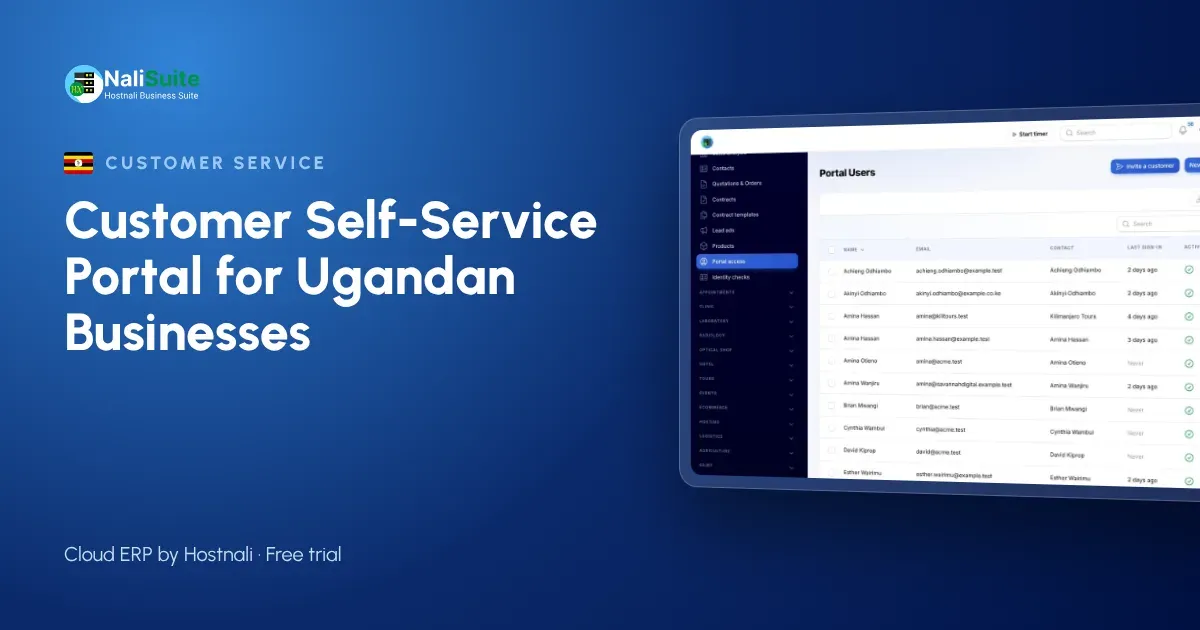
Now imagine the hotel could answer those questions itself. That is what a customer self-service portal does. This article walks through a customer’s experience, the pieces you need in place and a launch plan that suits Ugandan businesses.
What the customer experiences
Using the NaliSuite customer portal, the hotel’s three people would each have their own login, invited by email, and all would see the hotel’s records and nothing else.
- The storekeeper opens the orders list and sees the linen delivery and its invoice.
- The accountant downloads the quarter’s statement and pays two open invoices using MTN MoMo or Airtel Money. Each payment is linked to its invoice, so the supplier’s books update without manual matching. See mobile money payments.
- The general manager reads the kitchen equipment quotation, accepts it online and the supplier is notified immediately.
Later, when a towel order arrives short, the storekeeper opens a ticket with a photo. The supplier’s team answers it in their helpdesk, and the reply appears in the portal.
What you need behind the scenes
A portal shows what is in your system, so three things need to be in order first.
Accurate customer records
Each customer needs the right contacts, emails and TIN. Duplicate customer records cause confusion, because one login may not show all of a customer’s invoices.
Invoices and payments that are up to date
If a customer paid last week and the portal still shows the invoice as unpaid, you will get exactly the call you hoped to avoid. Record payments promptly and reconcile mobile money statements before launch. NaliSuite’s bank reconciliation helps match bank and mobile money transactions with suggestions.
Clear quotations
Quotations customers accept online should be complete: products, quantities, prices, taxes, validity date and terms. Once accepted, they become orders without retyping.
A simple launch plan
| Stage | What to do | Tip |
|---|---|---|
| Prepare | Clean contacts and balances | Fix disputes before customers see them |
| Pilot | Invite five to ten regular customers | Choose people who will give honest feedback |
| Learn | Write short help articles from their questions | One task per article |
| Launch | Invite all active customers | Send the invitation from your business email |
| Embed | Put the portal link on invoices and statements | Answer copy requests with the link |
A pilot of a fortnight is usually enough to find the rough edges.
Getting customers to log in
Ugandan customers already pay for many things on their phones, so the idea is familiar. The barrier is habit: they are used to calling you. A few things help:
- Tell them what is in it for them. “Check your balance and pay any time, even on Sunday” is more persuasive than “we have a new portal”.
- Show the payment button. When paying from the invoice is quicker than looking up your MoMo merchant details, customers start there.
- Keep the first visit simple. One invoice, one statement, one payment. The rest can follow.
- Follow up personally. Call your largest customers after the invitation to check they could sign in.
Why not just email PDFs?
Emailing invoices still has its place, and NaliSuite sends invoices by email or WhatsApp as usual. The difference is what happens afterwards. An emailed PDF is a snapshot: once the customer pays part of it, or you issue a credit note, the copy in their inbox is out of date. A portal always shows the current position.
Emails also get lost when people change jobs. If the hotel’s accountant leaves, a year of invoices may leave with their mailbox. With a portal, the new accountant is invited and finds the full history waiting.
Finally, emails do not collect money. A portal invoice comes with a way to pay it, and the payment is recorded against that invoice. For a business chasing payments across dozens of accounts, that last point alone often justifies the change.
Data protection in Uganda
The Data Protection and Privacy Act, 2019, and its 2021 regulations apply to the personal data in your portal, with the Personal Data Protection Office (PDPO) overseeing compliance. Invite only contacts each customer has approved, remove access promptly when people leave, and share documents only where they belong. Check the PDPO’s current requirements, including whether your business must register.
Which businesses benefit most
Portals work best where customers come back often and buy on account: wholesalers and distributors in Kampala and Mbarara, suppliers to hotels and lodges around Entebbe and Jinja, schools with fee-paying parents, and service companies on monthly contracts. A shop that sells mainly for cash at the counter will gain more from a till than from a portal.
Frequently asked questions
Is there an extra charge for the portal?
No. The customer portal is a built-in app on every NaliSuite plan, from UGX 8,500 a month.
Can customers pay with Airtel Money as well as MTN MoMo?
Yes. Outstanding invoices can be paid by mobile money or card from the portal.
Can several people at the same customer use it?
Yes. Invite each contact; they all see that customer’s records only.
Do customers need a computer?
No. The portal works in a phone browser as well as on a computer.
Try NaliSuite
Give customers in Uganda a portal to check balances, pay by mobile money and accept quotations on their own. See the NaliSuite plans and start a free trial.