 UGX
 KES - Kenya
 TZS - Tanzania
 RWF - Rwanda
 NGN - Nigeria
 ZAR - South Africa
 USD - Zimbabwe
 GHS - Ghana
 ETB - Ethiopia
 ZMW - Zambia
 USD - International

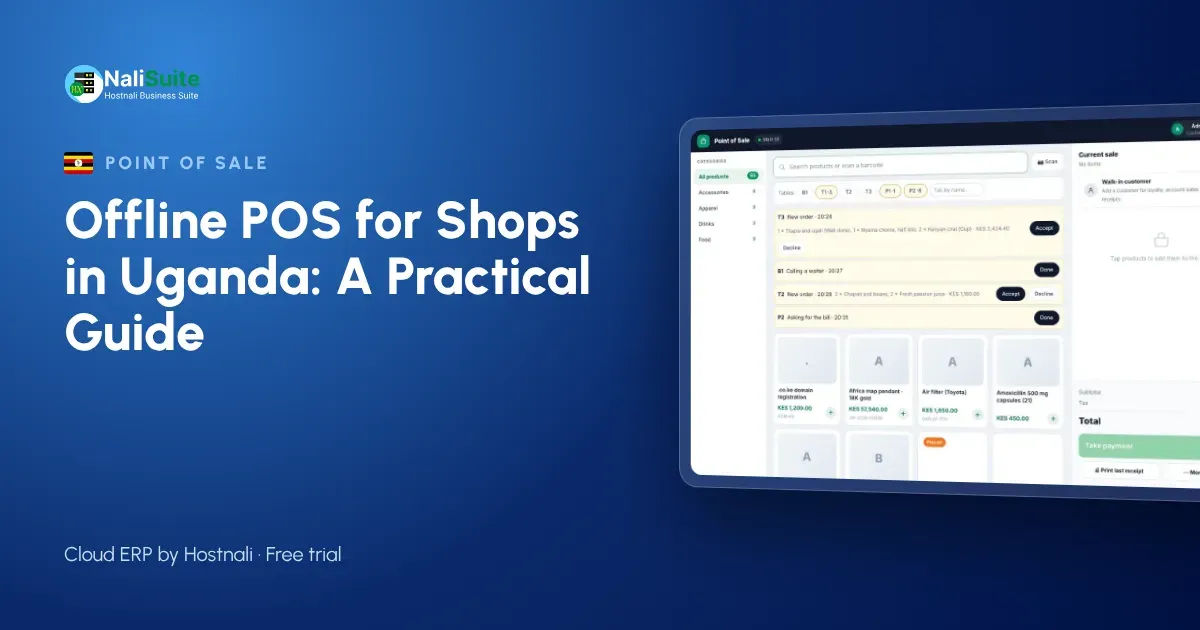
A busy Kampala shop cannot ask customers to wait while the network recovers. Power interruptions and slow mobile data are part of trading in Uganda, so the till you choose should keep selling whatever happens to the connection. Here is how offline point of sale works and what to check before you commit.
Questions to ask any POS supplier
- True offline mode. Ask the supplier to show you the till selling with the router unplugged, then reconnecting.
- Safe sync. Sales should upload in order, without duplicates, even after a long outage.
- Your hardware. It should run on the phones, tablets or laptops you already have, with standard thermal printers and barcode scanners.
- Local payments. Cash, card and the way your customers actually pay, with split payments.
- Stock that follows sales. Every sale should reduce stock in the right shop or warehouse.
- Reports you can trust. End-of-day takings by payment method, by cashier and by till.
Selling in Uganda when the network drops
Many shops run on a single mobile data line, and at peak hours in Kampala or Jinja the network can slow right down. Outside the city, the signal itself may come and go.
Customers pay with MTN MoMo and Airtel Money as readily as cash. That means the till needs to record mobile money sales clearly, and the shop needs a habit for confirming payments when the till cannot check them online. Uganda’s tax authority also has e-invoicing and receipting rules (EFRIS) for many businesses; check with URA what applies to you.
Receipts by print, SMS or WhatsApp
A till should print on standard ESC/POS thermal printers, which are cheap and easy to replace. Many customers now prefer a receipt by SMS or WhatsApp that they cannot lose. While offline, a printed receipt works immediately; messages are sent as soon as the device has signal again.
Digital receipts also give you something valuable: the customer’s number, which you can use for loyalty points and offers if they agree.
Example: an electronics shop in Jinja
An electronics and accessories shop in Jinja sells phones, chargers and earphones from one counter. Phones carry serial numbers, so every sale must record the right one. When the network drops for an hour, the till keeps selling, scanning each serial number and taking cash and mobile money. Back online, the sales sync, the serial numbers are marked as sold and the warranty records are complete.
The owner’s monthly stock-take now takes a morning instead of a weekend.
How an offline till works
Think of an offline till as a cloud system with a memory. While the internet is up, every sale goes straight to the cloud. When it drops, the till quietly keeps a queue of sales on the phone, tablet or laptop it runs on. Receipts still print, prices still come from the last price list the till downloaded, and stock still goes down on screen. Once the line is back, the queue uploads in order and the cloud is complete again.
The cashier should hardly notice the switch; a small indicator is enough to show the till is offline.
From unboxing to first sale
Start small. Import your product list with barcodes and prices, set opening stock for one shop, and open the point of sale on a tablet or laptop you already have. Pair a thermal printer, open a session with a float and make a few test sales. Then pull the router’s plug, make another sale, plug it back in and check that the sale arrives in the reports.
Once the first shop runs smoothly, add the next branch, its stock location and its cashiers.
A setup for Ugandan shops and market stalls
Shops in Kampala’s arcades often have very little counter space, so a phone or small tablet till with a Bluetooth printer works well. Larger shops use a laptop and a USB scanner. Either way, keep a power bank for the router.
Use one shop phone for MTN MoMo and Airtel Money confirmations, and teach cashiers to check the message before goods leave. At closing time, compare the till’s mobile money total with the statements from both networks. If you need to issue EFRIS receipts, check with URA how that fits alongside your till.
The NaliSuite till records every payment method on the sale; more on mobile money and card payments here.
Frequently asked questions
Can the till sell items with serial numbers offline?
Yes. The serial number is recorded with the sale on the device and marked as sold in stock when the till syncs.
Are refunds possible offline?
Yes. Refunds and exchanges are recorded on the device and synced with the rest of the day’s sales.
Do I need special hardware?
No. NaliSuite’s till runs in a browser on a phone, tablet or laptop, with standard ESC/POS thermal printers and USB barcode scanners; a phone camera can scan barcodes too.
Try NaliSuite
NaliSuite’s offline POS is part of every plan, from UGX 8,500 a month, together with inventory, invoicing and accounting. Start a free trial, unplug your router and see for yourself. See plans.