 UGX
 KES - Kenya
 TZS - Tanzania
 RWF - Rwanda
 NGN - Nigeria
 ZAR - South Africa
 USD - Zimbabwe
 GHS - Ghana
 ETB - Ethiopia
 ZMW - Zambia
 USD - International

There is a certain irony in a printing company going paperless. Yet the Kampala printer in this article did exactly that, not on the presses, which still print plenty, but in its office. The idea was simple: paper is what the company sells, not what it should be buried in.
The method it used works for any Ugandan business: audit the paper you have, work out what it costs, then replace the most painful paperwork first.
The example: a printing company in Kampala
The company is in Nakawa, Kampala, with twenty-five staff. It prints brochures, school exercise books, calendars and branded packaging for schools, NGOs and businesses across Kampala, Wakiso and Mukono. Each job needs a quote, artwork approval, a job card for the press room, supplier orders for paper and ink, a delivery note and an invoice.
Part 1: the paper audit
For one week, the office manager kept a simple list of every piece of paper the business created or received, and what happened to it.
| Document | Created per week | What happened to it | Pain |
|---|---|---|---|
| Quotes | About 40 | Printed, some lost, re-sent | High |
| Artwork approvals | About 25 | Printed, signed, scanned back | High |
| Job cards | About 25 | Handwritten, stained in press room | Medium |
| Supplier invoices and slips | About 30 | Box file, typed at month end | High |
| Delivery notes | About 20 | Signed by customer, often missing | Medium |
| Staff leave forms | A few | Filed, sometimes misplaced | Low |
The audit made the problem visible. It also showed where to start.
Part 2: what the paper costs
The office manager then asked three questions for each row:
- How much staff time does it take each week?
- What goes wrong when it is lost or late?
- Does it slow down getting paid?
Artwork approvals scored worst. A missing signature meant a job could not go to press, and a dispute about colours with no signed proof meant reprinting at the company’s cost. Supplier slips came next, because month-end entry took two people most of three days.
Part 3: replace the worst first
Artwork approvals: signed online
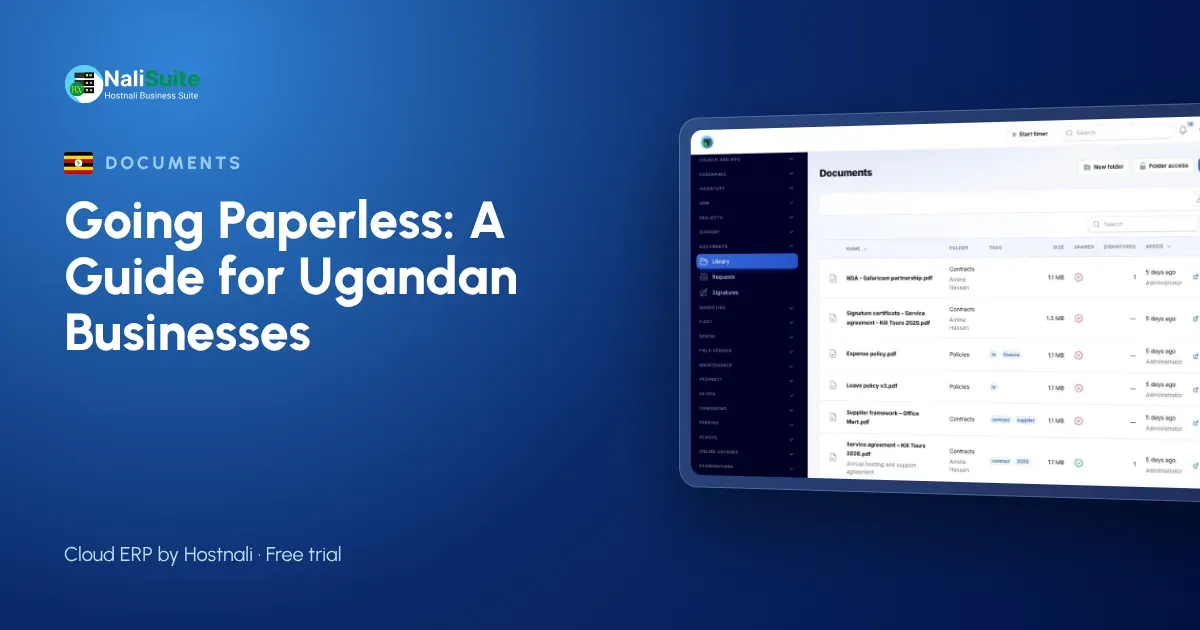
Proofs and quotes are now sent for e-signature from NaliSuite Documents. The customer signs on a phone or computer, and the company receives a stamped PDF with an audit certificate showing who signed, when and from where. The signed proof is filed in the job’s folder before the job card goes to the press room.
Each signature is recorded with that certificate, which supports its validity. Some documents may still need a particular form of signature or a witness, so check the rules for your type of document in Uganda and keep any originals that are required.
Supplier slips: read by AI
Supplier invoices and receipts are photographed on arrival. With the Document AI add-on, they are read and turned into bills or expenses for the accounts team to check, using the company’s own Anthropic API key. Paper and ink orders are raised in NaliSuite Purchases first, so each bill is checked against what was ordered and received.
Quotes and invoices: sent digitally
Quotes and invoices are created in NaliSuite Invoicing and sent by email or WhatsApp. Schools and NGOs pay by MTN MoMo, Airtel Money, card or bank transfer, and mobile money payments are recorded against the invoice. Keep your invoices in line with what URA requires of your business.
Job cards: tracked as tasks
Each print job is now a project in NaliSuite Projects, with tasks for prepress, printing, finishing and delivery and a checklist on each. The press room updates the tasks on a tablet instead of a stained card.
Leave forms: on the phone
With employee self-service, staff apply for leave, check in and download payslips from the employee app.
Keeping documents findable
The company set three rules:
- Folders by customer, then by job number.
- Tags such as quote, proof, signed, delivery and invoice.
- One live version. Documents keeps earlier versions, but only the latest is edited.
Access is set by role: the press room sees job folders, accounts sees bills, and only the managers see staff files. Customers download their signed proofs and invoices from the customer portal.
The result
Three months later, the company had no artwork disputes without a signed proof on file, month-end entry took a fraction of the time, and delivery notes stopped going missing because customers signed them on a phone at the door.
Personal data
Customer contacts, staff files and IDs are personal data under Uganda’s Data Protection and Privacy Act, 2019. Digital records with access control are easier to protect than open shelves, as long as you limit who sees what.
Frequently asked questions
How long should a paper audit take?
One normal week is enough to see the pattern. Write down every document created or received, and what happened to it.
Can customers sign delivery notes digitally?
Yes. Send the delivery note for e-signature, and the customer signs on a phone.
Should we scan old records?
Only those you still use. Box and label the rest.
Try NaliSuite
Documents, Invoicing, Purchases and Projects come with every NaliSuite plan, from UGX 8,500 a month. Check the plans and run your own paper audit alongside the free trial.