 UGX
 KES - Kenya
 TZS - Tanzania
 RWF - Rwanda
 NGN - Nigeria
 ZAR - South Africa
 USD - Zimbabwe
 GHS - Ghana
 ETB - Ethiopia
 ZMW - Zambia
 USD - International

Okello supplies school uniforms to schools around Gulu and Lira. Orders arrive in waves at the start of each term, payments trickle in by MTN Mobile Money and bank deposit for weeks afterwards, and his spreadsheet has a separate tab for every school. By the third term of the year, he admits, nobody in the office is quite sure which school still owes what.
Spreadsheets carry a lot of Ugandan small businesses through their first years. This article explains when they stop being enough, what accounting software adds and how to move across in a sensible order.
Seasonal businesses feel the strain first
Businesses with busy and quiet seasons stretch a spreadsheet hardest. In a quiet month, a single person can keep up. In a busy month, entries pile up, payments are recorded against the wrong customer and receipts go missing.
A workbook also struggles with partial payments. A school that pays in three instalments by mobile money produces three separate entries, and someone has to remember to link them to the same invoice. Miss one and the customer statement is wrong.
Five warning signs
- You keep a separate “who owes us” list because the main sheet cannot answer the question.
- MTN MoMo and Airtel Money statements are downloaded but never fully matched.
- Your VAT figure at 18% is worked out once a month from totals rather than from each invoice.
- Stock counts on the shelf and in the file have drifted apart.
- Only one person understands the formulas, and you worry about the week they are away.
The URA side of the question
Your accountant needs figures that agree with the invoices and receipts behind them. Uganda also has its own electronic invoicing and receipting system, EFRIS, run by URA. Which rules apply to you depends on your registration, so check the current requirements with URA or your accountant. Whatever they are, they are much easier to meet when each sale is recorded once, in a system that keeps the document with the entry.
How software handles the same work
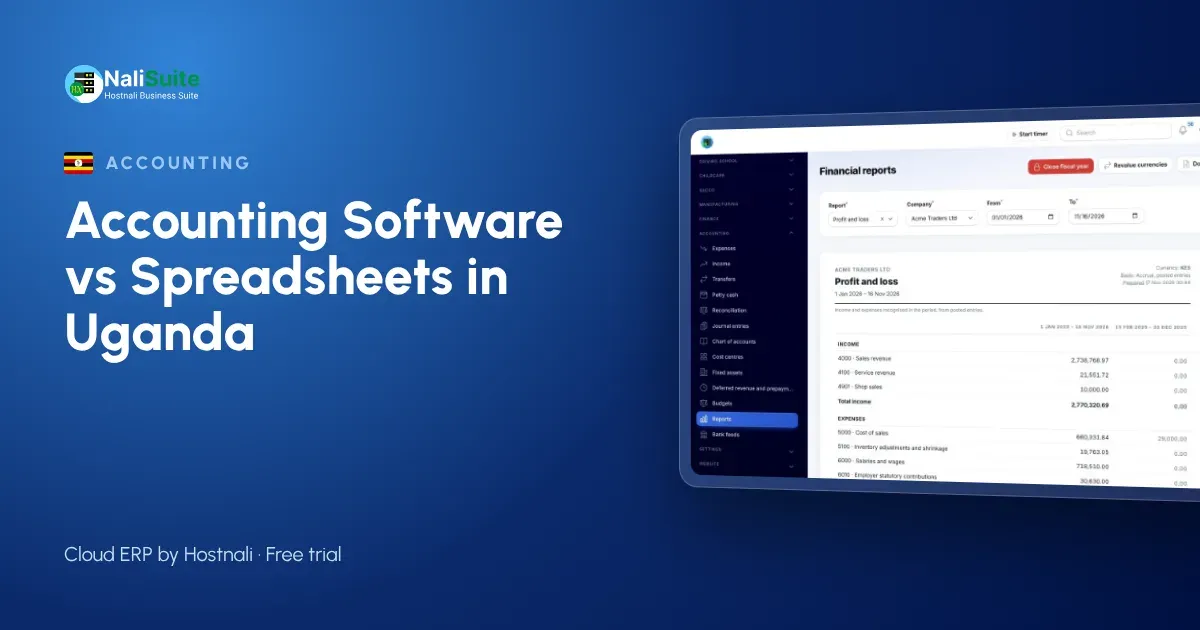
The NaliSuite Accounting app keeps a full double-entry ledger that fills itself from your daily work. When Okello issues an invoice through NaliSuite Invoicing, the sale is posted, the VAT is calculated per line and the school’s balance updates straight away.
When the school pays, the money is matched to the invoice. Payments that arrive by mobile money or bank transfer can be imported from statements and paired with open invoices through reconciliation, so instalments stop getting lost.
Reports you can read on your phone
Profit and loss, balance sheet and cash flow come out of the same ledger, and each school has a statement listing every invoice and payment. Instead of building a summary tab, you open the statement and see what is still owed.
Checking VAT before you file
If you want to check a single figure, the free VAT calculator adds or removes VAT from any amount.
Moving across between terms
The quiet weeks between school terms are the best time for a business like Okello’s to change systems.
- Close the current term in the spreadsheet and note every unpaid invoice.
- Export customers, suppliers and products to CSV and import them.
- Enter the unpaid invoices as opening balances so statements carry over.
- Start the new term entirely in the software and keep the old file for reference.
Anyone moving from a package such as QuickBooks or Tally will find extra notes in the switching guide.
A second example: a Mbarara dairy supplier
A business in Mbarara buys milk cans, coolers and feed in bulk and sells them to farmers, many of whom pay over two or three visits. The owner tracked balances in a notebook and a spreadsheet at the same time, and the two never agreed. Farmers disputed their balances, and the owner had no statement to show them.
In software, each sale becomes an invoice on the farmer’s account. When a farmer pays part of the amount by mobile money, the payment is recorded against that invoice, and a statement can be printed or sent at the next visit. Disputes became rare because both sides could see the same list.
A Ugandan checklist before you move
- Decide your start date around your VAT period, so one return does not straddle two systems.
- List every MTN MoMo and Airtel Money number and bank account the business receives money into.
- Collect the TINs of business customers and suppliers so they are on file from day one.
- Ask your accountant which EFRIS requirements apply to you, and plan how invoices will meet them.
- Agree who will enter sales, who will enter bills and who will approve payments.
Frequently asked questions
Can I keep using Excel for some things?
Yes. Many owners still use spreadsheets for planning and quick what-ifs. The books themselves, though, are safer in software where every entry comes from an invoice, bill or payment.
Does the software work on a phone?
NaliSuite runs in the browser on phones, tablets and laptops, so you can check balances from a school compound as easily as from the office.
What if a customer pays part of an invoice?
Each part payment is recorded against the same invoice, and the balance stays open until it is cleared.
Can the software calculate VAT at 18% on every invoice?
Yes. VAT is worked out on each line of the invoice, so the totals for the return come from the same figures your customers see.
Try NaliSuite
Okello now sends each school a statement in a few clicks instead of a few days. Plans begin at UGX 8,500 a month, all core apps are included and you can start with a free trial. Compare the plans.