 UGX
 KES - Kenya
 TZS - Tanzania
 RWF - Rwanda
 NGN - Nigeria
 ZAR - South Africa
 USD - Zimbabwe
 GHS - Ghana
 ETB - Ethiopia
 ZMW - Zambia
 USD - International

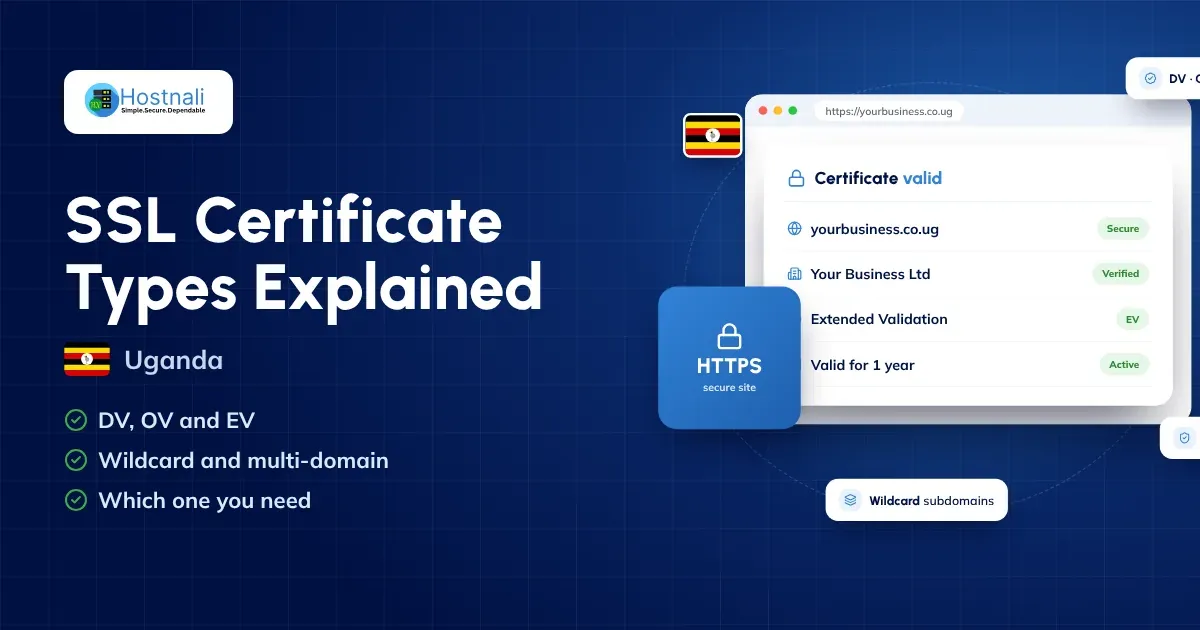
If you have ever visited a website and noticed HTTPS and a padlock in the browser’s address bar, that website is using a TLS certificate. Most people still call these certificates SSL certificates, even though modern websites use TLS rather than the older SSL protocol.
For Ugandan businesses, choosing the right SSL certificate is an important part of website security. Whether you run a small business website, a WordPress blog, an online shop, a school portal, an NGO website, a company website or a web application, your website should use HTTPS.
But there are several types of SSL/TLS certificate. You may have heard of DV, OV, EV, wildcard and multi-domain certificates and wondered which one your website actually needs.
The good news is that most website owners do not need the most expensive certificate.
For many websites, a properly configured Domain Validated (DV) certificate is enough.
This guide explains the main SSL certificate types and helps you choose the right option for your website in Uganda in 2026.
What Is an SSL Certificate?
An SSL certificate is a digital certificate that sets up an encrypted connection between a visitor’s browser and your website.
Technically, modern certificates are used with TLS (Transport Layer Security), which replaced SSL as the security protocol. But the term “SSL certificate” is still the one most people use.
When HTTPS is set up correctly, the information passing between the visitor and your website is protected from being easily intercepted.
This matters most when visitors:
- Log into an account
- Fill in contact or enquiry forms
- Create accounts
- Enter personal information
- Make payments
- Shop in an online store
- Open private dashboards or student portals
- Upload documents or other sensitive information
A certificate also confirms that the website controls its domain and, for some certificate types, who the organisation behind it is.
Why Does Your Website Need HTTPS?
HTTPS is the standard for modern websites.
Without it, browsers show “Not secure” warnings, and visitors are less comfortable sending you information through your website.
Google also recommends HTTPS for website and user security, and its systems generally prefer the HTTPS version of a page when choosing which URL to show in search.
For a Ugandan business, HTTPS contributes to:
- Better website security
- Customer confidence
- Safer login forms
- Safer contact forms
- Secure online shop connections
- Protection of information in transit
- A more professional website
- A sound technical set-up
It also supports your obligations under the Data Protection and Privacy Act, 2019, which expects organisations to keep the personal data they collect secure.
However, an SSL certificate does not make your whole website secure on its own. You still need strong passwords, software updates, backups, malware protection and careful website administration.
Main SSL Certificate Types
The most common SSL/TLS certificate categories are:
- DV – Domain Validated
- OV – Organisation Validated
- EV – Extended Validation
- Wildcard SSL
- Multi-domain/SAN certificates
The key point: DV, OV and EV describe how the applicant is checked, while wildcard and multi-domain describe which names the certificate covers.
1. DV SSL Certificate – Domain Validated
A Domain Validated (DV) certificate is the simplest and most common type of publicly trusted website certificate.
The certificate authority checks that you control the domain before issuing it.
For example, if you own:
example.co.ug
the certificate authority confirms you control that domain, usually through a DNS record, a file on the website or an email to the domain’s address.
DV certificates are suitable for:
- Personal websites
- Blogs
- Portfolios
- Small business websites
- Company websites
- WordPress websites
- Landing pages
- Information websites
- Small online stores
For most Ugandan website owners, DV is the practical choice.
Advantages of DV SSL
- Usually inexpensive or free
- Issued in minutes
- Easy to automate
- Suitable for most ordinary websites
- Gives full HTTPS encryption
- Works in all modern browsers
Free automated certificate authorities such as Let’s Encrypt issue TLS certificates without charging a fee.
Who should choose DV?
If you run a normal business website such as:
mybusiness.co.ug
and you mainly need HTTPS encryption, a properly configured DV certificate is usually enough.
2. OV SSL Certificate – Organisation Validated
Organisation Validated (OV) certificates add checks on the organisation behind the domain.
The certificate authority verifies the domain and then confirms that the organisation is real and registered, for example against business registration records.
OV suits organisations that want their verified business identity attached to their certificate.
OV SSL can be suitable for:
- Established businesses
- Corporate websites
- Financial organisations and SACCOs
- Organisations with customer login areas
- Larger businesses
- Websites where organisational identity matters
The important point is that OV does not mean stronger encryption.
A properly configured DV certificate and an OV certificate both give the same TLS encryption.
The difference is the validation and identity assurance.
3. EV SSL Certificate – Extended Validation
Extended Validation (EV) certificates involve the most thorough checks on the organisation.
The certificate authority carries out extra verification before issuing the certificate.
EV may be worth considering for organisations where extra identity assurance is important, such as banks or large institutions.
But there is a common misconception about EV.
EV does not mean “maximum encryption”
An EV certificate does not encrypt your website any better than a DV certificate.
The difference is the level of identity checking done by the certificate authority.
Modern browsers also no longer show the old, eye-catching “green address bar” that once made EV certificates stand out.
So don’t buy EV because you think it will lift your rankings or make your connection dramatically more secure.
4. Wildcard SSL Certificate
A wildcard SSL certificate secures a domain and all its first-level subdomains.
For example, for:
example.co.ug
a wildcard certificate for:
*.example.co.ug
covers subdomains such as:
www.example.co.ug- shop.example.co.ug
- blog.example.co.ug
- mail.example.co.ug
A wildcard covers one level of subdomains only. It does not automatically cover deeper names such as:
store.shop.example.co.ug
unless that name is added separately.
Who needs a wildcard SSL?
Wildcard SSL is useful when your website uses several subdomains.
For example, a business might have:
www.example.co.ug- shop.example.co.ug
- app.example.co.ug
- portal.example.co.ug
Instead of managing a certificate for every subdomain, one wildcard certificate keeps things simple.
5. Multi-Domain SSL Certificate
A multi-domain certificate, sometimes called a SAN certificate, protects several domain names or hostnames with one certificate.
For example, a company could use one certificate for:
- example.co.ug
- example.ug
- example.com
- shop.example.com
The number of names depends on the certificate product.
Multi-domain certificates are useful for:
- Businesses running several domains
- Companies with several brands
- Organisations managing related websites
- Businesses merging or moving websites
- Larger groups with many web properties
If you only own one website, you probably do not need a multi-domain certificate.
SSL Certificate Types Compared
| Certificate Type | Main Purpose | Best For | Typical Complexity |
|---|---|---|---|
| DV | Domain validation | Blogs, WordPress, SMEs, normal websites | Low |
| OV | Organisation validation | Established businesses and organisations | Medium |
| EV | Extended organisation validation | Organisations needing extra identity assurance | Higher |
| Wildcard | One domain + first-level subdomains | Businesses using many subdomains | Medium |
| Multi-domain/SAN | Several hostnames/domains | Organisations managing several domains | Medium/High |
Wildcard and multi-domain are not alternatives to DV, OV or EV. One certificate can combine them, for example an OV wildcard certificate.
Which SSL Certificate Does a Small Ugandan Business Need?
For most small Ugandan businesses, the answer is simple:
Start with a standard DV certificate.
If you own a website such as:
mybusiness.co.ug
with pages like:
- Home
- About
- Services
- Contact
- Blog
- Enquiry forms
you don’t need an expensive EV certificate.
A properly installed DV certificate gives the website HTTPS.
Your bigger priorities should be:
- Correct HTTPS set-up
- Automatic renewal
- Secure hosting
- Regular backups
- Strong administrator passwords
- WordPress updates
- Malware protection
- Secure payment processing
- Reliable hosting
What SSL Certificate Does a WordPress Website Need?
Most WordPress websites can use a standard DV certificate.
This includes:
- Business websites
- Blogs
- Personal portfolios
- NGO websites
- School websites
- Service websites
- Company websites
- Small online shops
If your host includes free SSL, you don’t need to buy a separate certificate.
Hostnali includes free SSL certificates with every hosting plan, installed and renewed automatically.
What matters is that the certificate is installed, valid and configured correctly.
What SSL Certificate Does an Ecommerce Website Need?
An online shop needs HTTPS because customers:
- Log into accounts
- Enter personal information
- Add products to their cart
- Fill in checkout details
- Use payment pages
- Give delivery addresses and phone numbers
For most online shops, a properly configured DV certificate gives the TLS protection the connection needs.
You don’t need EV just because you run a shop.
But remember that SSL is only one part of shop security.
You should also think about:
- Secure payment providers
- WordPress security
- WooCommerce updates
- Strong administrator passwords
- Secure hosting
- Malware scanning
- Backups
- Who has access to the dashboard
- Data protection, including how you store customer details
- Fraud prevention
Do You Need Wildcard SSL for Your Website?
Ask yourself how many subdomains you use.
For example:
www.example.co.ug
shop.example.co.ug
portal.example.co.ug
app.example.co.ug
If you have many first-level subdomains, wildcard SSL makes certificate management easier.
If you only run:
www.example.co.ug
you don’t need a wildcard certificate. On Hostnali hosting, the free certificates already cover the subdomains you create in cPanel.
Is Free SSL Safe?
Yes. A free SSL/TLS certificate is perfectly suitable for many websites.
What matters is not whether the certificate costs money, but whether it is:
- Issued by a trusted certificate authority
- Correctly installed
- Valid
- Renewed on time
- Configured correctly
- Used across the whole website
Let’s Encrypt, for example, provides free automated TLS certificates, and many hosts include free SSL in their plans.
Free does not mean insecure.
Free SSL vs Paid SSL
A common question from Ugandan website owners is:
“Should I pay for SSL or use free SSL?”
For many websites, free SSL is enough. Our guide to free SSL certificates in Uganda goes into more detail.
Free SSL suits:
- Blogs
- Small businesses
- WordPress websites
- Portfolios
- Information websites
- Small online shops
- Personal websites
Paid certificates are useful when you need:
- Organisation validation (OV) or extended validation (EV)
- A warranty from the certificate authority
- Central certificate management for a larger organisation
- Specific wildcard or multi-domain products
- A certificate for a server or service outside your hosting account
Hostnali sells DV, OV and EV SSL certificates for websites that need them.
Don’t buy a certificate just because you think a paid one encrypts better. It doesn’t.
Does SSL Improve SEO?
HTTPS is part of good modern SEO, but SSL is not a magic ranking fix.
Google recommends HTTPS, and its systems generally prefer HTTPS versions of pages when choosing which URL to index.
But installing a certificate won’t move a website from page 20 to page 1.
Your website still needs:
- Useful content
- Good keyword targeting
- Technical SEO
- Fast loading speed
- Mobile usability
- Quality backlinks
- Good internal linking
- Clean URLs
- A good user experience
Think of HTTPS as part of your website’s foundation, not a shortcut to rankings.
SSL Does Not Protect You From Everything
One of the biggest misunderstandings is that SSL makes a website completely secure.
It doesn’t.
SSL/TLS protects data while it travels between the browser and the server.
Your website can still be compromised through:
- Outdated WordPress
- Vulnerable plugins
- Weak passwords
- Stolen administrator accounts
- Malware
- Poor server configuration
- Insecure themes
- Compromised hosting accounts
- SQL injection
- Poor access control
A website can have a perfectly valid certificate and still contain malicious code.
That is why website security needs several layers. See our guide on how to secure your website from hackers.
SSL Certificate Expiry
Every SSL/TLS certificate has a validity period, and it must be renewed before it expires.
If a certificate expires, visitors see a browser security warning instead of your website.
That makes automation essential.
Certificate lifetimes are also getting shorter. The industry’s maximum validity for public TLS certificates was cut to about 200 days in 2026, and further cuts are scheduled over the next few years.
So automatic issuing and renewal matter more every year. On Hostnali hosting, free certificates renew automatically.
How to Check if Your Website Has SSL
You can check your website in a minute.
Step 1: Open your website
Type your domain into your browser.
For example:
https://example.co.ug
Step 2: Check the address
Your website should use:
HTTPS://
rather than:
HTTP://
Step 3: Check the browser’s security information
Click the site information icon next to the address to see the connection details.
Step 4: Check every version of your website
Test:
http://example.co.ughttp://www.example.co.ughttps://example.co.ughttps://www.example.co.ug
All four should end up on your preferred HTTPS version.
Common SSL Problems
Even after installing SSL, you may run into problems.
1. Mixed Content
Your website loads over HTTPS, but some images, scripts or files still load over HTTP.
This triggers mixed-content warnings.
Solution: update those URLs to HTTPS and check your WordPress settings, theme and plugins.
2. Certificate Expired
The certificate has passed its validity period.
Solution: renew or reinstall the certificate and switch on automatic renewal.
3. Wrong Domain
The certificate does not cover the name being visited.
For example, it may cover:
example.co.ug
but not the www version or a subdomain.
Solution: check which names the certificate covers and how the server is configured.
4. HTTPS Redirect Loops
The website keeps bouncing visitors between HTTP and HTTPS.
Solution: check:
- WordPress URL settings
.htaccess- Server redirects
- CDN settings
- SSL plugins
- Reverse proxy settings
5. SSL Works but the Website Shows Errors
Sometimes the certificate is fine, but another setting is causing the problem.
Check:
- DNS
- Hosting configuration
- CDN settings
- WordPress URL
- Server redirects
- Firewall rules
How to Choose an SSL Certificate in Uganda
Before buying an SSL certificate, ask yourself these questions.
1. How many domains do I need to protect?
One domain needs only a standard certificate.
Several domains may need a multi-domain/SAN certificate.
2. Do I use several subdomains?
If yes, consider wildcard SSL.
3. Do I need organisation validation?
If your organisation needs its identity verified, OV or EV may be right.
4. Does my host already provide SSL?
Many hosts, Hostnali included, provide SSL at no extra cost.
5. Will the certificate renew automatically?
Automatic renewal removes the risk of a surprise expiry.
6. Does my website use HTTPS everywhere?
Installing the certificate is only the first step.
You also need the right redirects and settings.
Which SSL Certificate Should You Choose?
Here is a simple guide.
Personal blog
DV SSL
Portfolio website
DV SSL
Small Ugandan business
DV SSL
Company website
DV SSL or OV SSL, depending on whether you want your organisation verified.
WordPress website
DV SSL
Small WooCommerce store
DV SSL
Website with many subdomains
Wildcard SSL
Company managing several domains
Multi-domain/SAN SSL
Organisation needing enhanced identity validation
OV or EV, depending on its requirements. Our answer on DV vs OV vs EV SSL explains the difference in short.
Why Hosting Matters When Choosing SSL
Your certificate is only one part of your website’s set-up.
A good host makes installing and renewing SSL effortless.
Look for hosting that includes:
- Free SSL
- Automatic SSL installation
- Automatic renewal
- HTTPS support
- Backups
- Malware protection
- Reliable servers
- Technical support
- cPanel or another easy control panel
Every Hostnali hosting plan includes free SSL certificates alongside cPanel, LiteSpeed servers, NVMe storage and daily backups.
That saves Ugandan businesses from buying and manually managing a separate certificate.
SSL Certificate Checklist for Ugandan Websites
Before you launch, check that:
- An SSL/TLS certificate is installed
- The website loads over HTTPS
- HTTP redirects to HTTPS
- The www and non-www versions are set up correctly
- The certificate covers the right domain
- The certificate is valid
- Automatic renewal is on
- There are no mixed-content errors
- The WordPress URL uses HTTPS
- Images load over HTTPS
- Forms submit over HTTPS
- Payment pages use HTTPS
- Website backups are running
- WordPress and plugins are up to date
- Administrator passwords are strong
Frequently Asked Questions
What is the best SSL certificate for a small business in Uganda?
For most small businesses, a properly configured DV certificate is enough.
Is free SSL good enough?
Yes. A trusted, correctly configured free certificate is suitable for most websites.
Do I need paid SSL for ecommerce?
Not necessarily. Online shops can use free DV certificates for HTTPS, as long as they are set up properly. Shop security also needs secure payments, a secure website and good hosting.
Are SSL and TLS the same thing?
Not technically. TLS is the modern successor to SSL, but “SSL certificate” is still the everyday name for website certificates.
Does SSL improve Google rankings?
HTTPS is an important technical and security factor, and Google usually prefers HTTPS pages. But a certificate alone won’t guarantee higher rankings.
Should I buy EV SSL for SEO?
No. Choose a certificate for its validation level, not as an SEO tactic.
Do I need wildcard SSL?
Only if you need to protect many first-level subdomains of one domain.
Can one SSL certificate cover several domains?
Yes. Multi-domain/SAN certificates cover several named domains, depending on the product.
What happens if my SSL certificate expires?
Visitors see browser security warnings and HTTPS stops working normally. Automatic renewal is strongly recommended.
Final Thoughts
Choosing an SSL certificate doesn’t have to be complicated.
For most Ugandan websites, a standard DV certificate is enough to give HTTPS and protect the information passing between visitors and the website.
Businesses with many subdomains may benefit from wildcard SSL, and organisations with several domains may consider multi-domain certificates. OV and EV certificates matter mainly when verified organisational identity is important.
The goal isn’t to buy the most expensive certificate.
Instead, make sure your website has:
Valid SSL + HTTPS + automatic renewal + secure hosting + regular updates + backups + good website security.
If you’re starting a WordPress or business website in Uganda, hosting that includes free SSL makes the set-up much easier.
Hostnali includes free SSL with every hosting plan and serves clients across Uganda with 24/7 support by live chat and ticket.
A secure website is about more than the padlock. It’s about a set-up that protects your visitors, supports your business and gives customers confidence when they deal with you.