 UGX
 KES - Kenya
 TZS - Tanzania
 RWF - Rwanda
 NGN - Nigeria
 ZAR - South Africa
 USD - Zimbabwe
 GHS - Ghana
 ETB - Ethiopia
 ZMW - Zambia
 USD - International

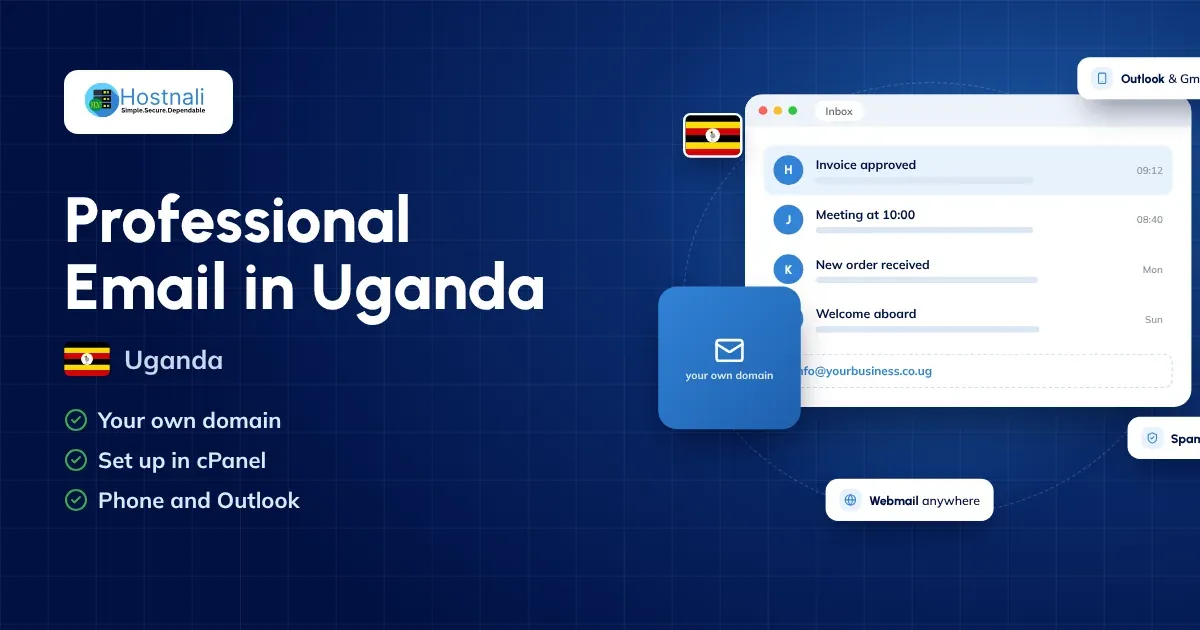
A professional email address such as [email protected] or [email protected] makes your business look far more credible and trustworthy than a free Gmail or Yahoo address.
Whether you run a small business, an online shop, an NGO, a school or a startup in Uganda, professional email hosting improves communication, branding and customer confidence.
In this guide you’ll learn how to create and manage professional email accounts in cPanel, how to reach your email on different devices, and why business email matters for your organisation.
Quick Answer / TL;DR
- Professional email uses your own domain name.
- Examples include [email protected] and [email protected].
- Hostnali hosting plans include email through cPanel, with unlimited email accounts.
- Business email improves trust, branding and professionalism.
- You can create an email account in a few minutes in cPanel.
- Hostnali provides email hosting for businesses across Uganda.
What Is Professional Email Hosting?
Professional email hosting lets you create email addresses on your own domain name.
Examples:
Instead of:
Professional email reinforces your brand every time you write to a customer, supplier or partner.
Why Professional Email Matters
1. Builds Trust
Customers trust branded addresses more than free email accounts, and many tenders and corporate clients expect them.
Compare:
The branded address looks established and credible.
2. Strengthens Branding
Every email you send promotes your business name.
Benefits include:
- Brand awareness
- A professional image
- A consistent business identity
3. Improves Security
Business email hosting typically includes:
- Spam protection
- Authentication tools (SPF, DKIM, DMARC)
- Secure email servers with SSL
- Backups (Hostnali shared hosting keeps daily, weekly and monthly restore points)
4. Better Team Collaboration
You can create addresses for each department:
- sales@
- support@
- accounts@
- hr@
- admin@
This keeps communication organised, and the address stays with the business when staff change.
What Do You Need Before Creating Professional Email?
Before setup, you need:
A Domain Name
Examples:
- yourbusiness.co.ug
- yourcompany.com
If you don’t have a domain yet, register one on domain registration. A .co.ug domain is UGX 221,000 a year, and every Hostnali shared plan except Starter includes a free domain.
Web Hosting With Email Support
Most hosting plans include email.
Look for:
- cPanel access
- Email hosting support
- SSL certificates
- Spam protection
Hostnali web hosting starts from UGX 74,120 a year with unlimited email accounts and free SSL.
Step-by-Step: Create Business Email in cPanel
Step 1: Log In to cPanel
Sign in to your hosting account and open cPanel.
Your provider sends the login details when the account is activated. At Hostnali you can also open cPanel straight from the Client Area.
Step 2: Open Email Accounts
Inside cPanel:
- Go to the Email section
- Click Email Accounts
- Choose your domain
Step 3: Create a New Email Account
Click:
Create
Then enter:
- The username
- A password
- A storage quota
Example:
Username: info
Email address: [email protected]
Step 4: Set a Strong Password
Use:
- Uppercase letters
- Lowercase letters
- Numbers
- Special characters
Avoid:
- The company name
- Birthdays
- Simple passwords
Step 5: Complete Setup
Click:
Create Account
Your professional email address is now active.
How to Access Your Business Email
Option 1: Webmail
Every cPanel account includes webmail.
Common address:
yourdomain.co.ug/webmail
Benefits:
- Works from any browser
- Nothing to install
- Easy to manage
Option 2: Outlook
You can connect your email to Microsoft Outlook.
Benefits:
- Desktop access
- Calendar integration
- Business productivity tools
Option 3: Gmail Integration
Many businesses like to manage domain email through the Gmail app.
Benefits:
- A familiar interface
- Mobile apps
- Easy organisation
Option 4: Mobile Devices
Set up your email on:
- Android
- iPhone
- Tablets
Then you can reply to customers wherever you are. Our quick answer on setting up email on your phone shows the settings.
Recommended Business Email Addresses
General Enquiries
Customer Support
Sales
Finance
Human Resources
Administration
Email Security Best Practices
Enable SPF Records
SPF helps stop others spoofing your domain.
Benefits:
- Better deliverability
- Fewer spam problems
Enable DKIM
DKIM proves your emails are genuine.
Benefits:
- More trust
- Better inbox placement
Configure DMARC
DMARC protects your domain from email abuse.
Benefits:
- Better security
- A stronger email reputation
Use Strong Passwords
Avoid weak passwords that are easy to guess, and never share one mailbox password across staff.
Common Email Setup Problems
Emails Going to Spam
Possible causes:
- Missing SPF records
- Missing DKIM records
- Poor domain reputation
Unable to Send Email
Check:
- SMTP settings
- Authentication settings
- That the password is correct
Email Not Receiving Messages
Check:
- MX records
- DNS settings
- Hosting setup
If your domain is new or you just changed nameservers, allow time for DNS propagation.
Benefits of Professional Email for Ugandan Businesses
Professional email helps you:
- Build customer confidence
- Look more credible
- Strengthen your brand
- Communicate better
- Grow the business
Whether you run a startup in Kampala, an NGO in Gulu, a school in Mbarara or an online shop, professional email is a must.
Frequently Asked Questions
Do I Need Hosting to Create Business Email?
Yes. Email hosting usually comes with web hosting plans, or you can choose a dedicated email hosting plan.
Can I Use Gmail With My Domain Email?
Yes. Gmail can be set up to send and receive email on your domain.
How Many Email Accounts Can I Create?
Hostnali hosting plans include unlimited email accounts, limited only by your plan’s storage.
Is Professional Email Better Than Gmail?
For business, yes. Professional email builds trust and strengthens your brand.
Can I Access My Email on Mobile?
Yes. Business email works on Android and iPhone devices.
Is Professional Email Expensive?
No. Hostnali hosting plans include email at no extra cost, and you can pay by card, bank transfer or mobile money.
Final Thoughts
Professional email is one of the simplest ways to improve your business image. Customers trust businesses that write from branded addresses, and setup takes just a few minutes.
If you’re launching a website, make professional email one of your top priorities. It boosts credibility, supports communication and strengthens your brand.
Ready to create your business email?
Explore Hostnali email hosting and get professional email on your own domain today.